
Is it Finally Time for a Touchscreen MacBook?
The latest leaks say a touchscreen Mac might be here by the end of the year.

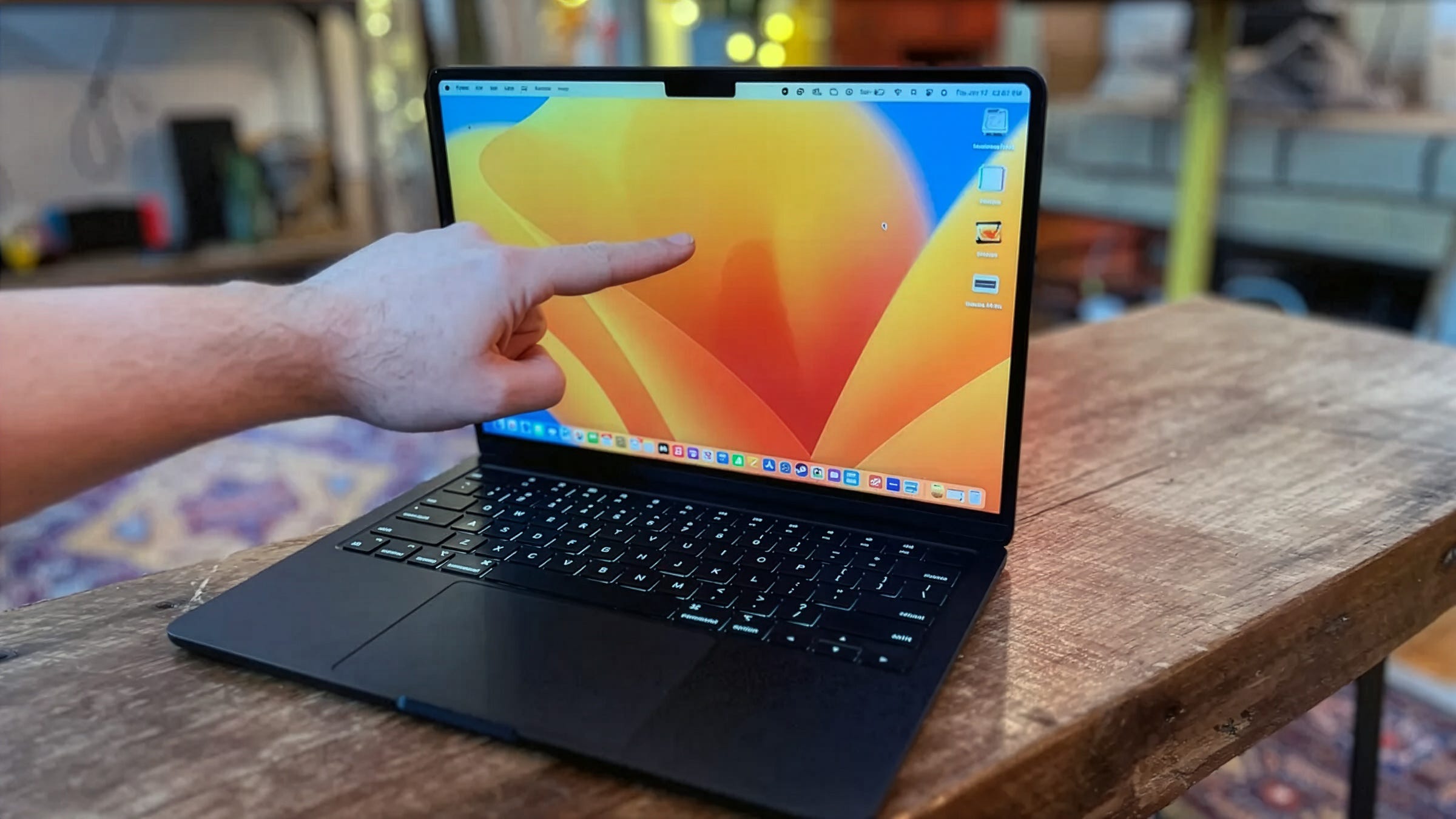
These days, I usually use this space to talk about the downfall of the media industry or the rise of the AI industry (and the possibility that these two things are linked). Today I’m pausing that to talk about one of my other favorite topics—cool consumer tech.
Namely, the recent reports that a touchscreen version of Apple’s MacBook may finally be happening. My former CNET colleagues put it at 100%, at least according to the leaker they quote. And it’s a short quote that translates as, “It’s 100% confirmed that the MacBook screen will be touch-enabled.” No photos, specs, or anything else.
Even though I’ve been through the tease-and-forget cycle with touchscreen MacBooks many times before, it’s one of the upgrades I think would most help the MacBook make the next generational leap after the surprisingly successful shift to M-series Apple silicon processors in the early 2020s.
I went back to some of my old articles on the subject of touchscreen MacBooks. In 2023, I wrote an article titled “Hey, Apple, It’s Finally Time for a Touchscreen MacBook.” Here’s what I said then:
“After years of Apple vociferously denying it was a possibility, the company may add touchscreens to its MacBook laptops as soon as 2025, according to a report from Bloomberg.”
Apple didn’t hit that 2025 date, of course. Even though so many Windows laptops have touchscreens, it’s never made its way to the Mac (despite Apple basically making touch a household feature with the iPhone and iPad). More of my take on this from back in 2023:
“The main argument against touchscreen Macs has long been, as Steven Jobs once said, ‘after a short period of time, you start to fatigue, and after an extended period of time, your arm wants to fall off. It doesn’t work, it’s ergonomically terrible.”
Of course, you could say that Apple already tried this with the now-retired touchbar on MacBook Pro laptops, which was essentially a skinny OLED touchscreen. I explored this in a 2022 article: “Why Don’t MacBooks Have Touchscreens?”
“As always, there is an asterisk to the no-touch MacBook rule. The now-nearly-dead Touch Bar, originally found on several MacBook Pro laptops, but now only on that last lonely 13-inch MacBook Pro, is technically a touchscreen, even if it’s only 60 pixels high. But as an experiment, it’s safe to write that off as a failure, and it might even be an extra incentive for Apple to stay further away from touchscreens.”
So, is it actually, finally time for a touchscreen MacBook? I’ve seen enough “confirmed” rumors over the years that went nowhere to treat this with a healthy skepticism. But I am still hopeful. As a long-time Mac user, it would be pretty cool to see the “grand unified theory of Apple products” hit the next evolutionary stage, further blurring the line between laptop and tablet. Let’s check back around holiday time and see if this “100% confirmed” rumor turns out to be true.
Steam Controller, Take 2
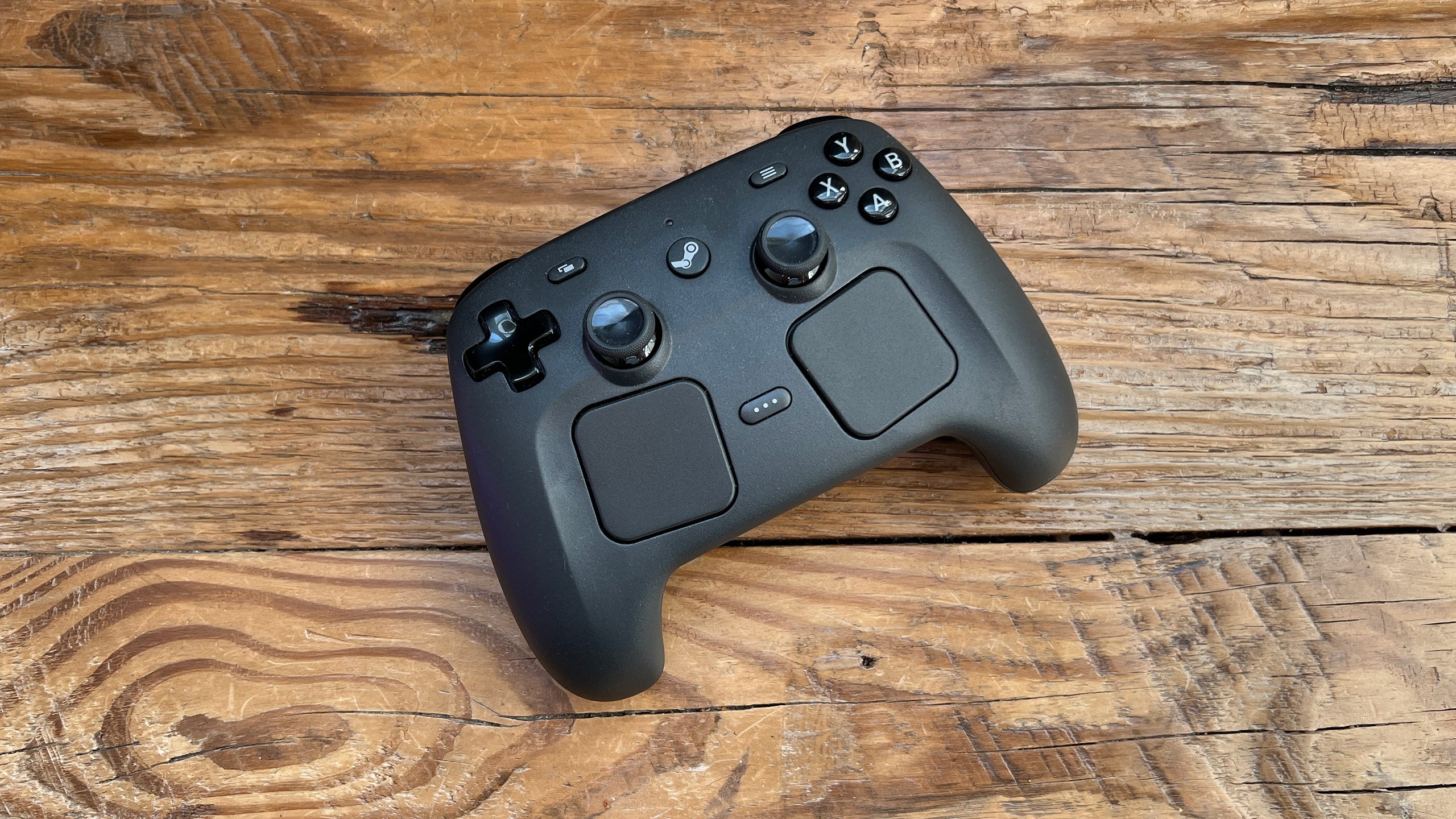
I finally managed to get my hands on the new Steam Controller from Valve. It’s not my first go-around with the Steam Controller, as my team and I extensively covered the first-generation Steam Controller back in 2014/2015, when it was paired with a series of Linux-based desktops called Steam Machines (another name Valve is resurrecting for a new product).
A dozen years ago, the idea of Valve as a hardware company wasn’t exactly setting the world on fire. There was the original Steam Controller, the Steam Machines boxes that never made it to a second generation, the Steam Link box (which was actually a great idea that should have caught on), etc. A lot of interesting ideas, but none of them hit.
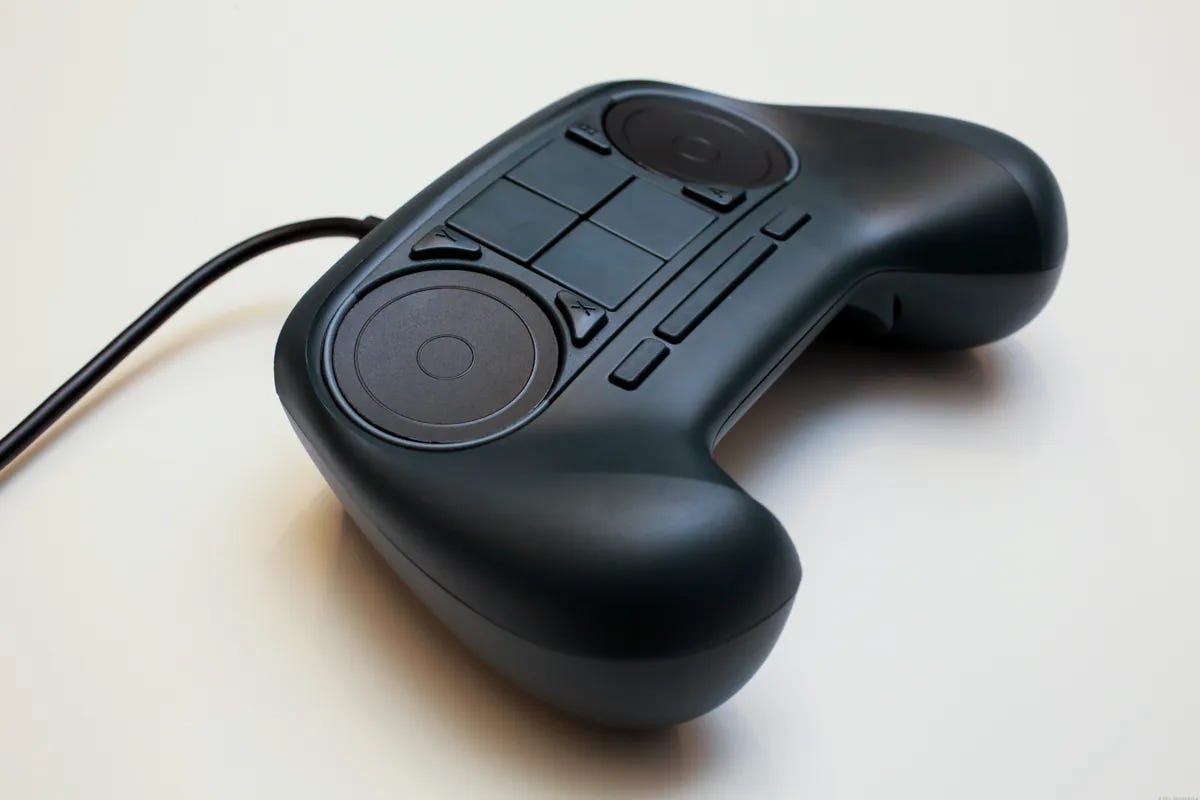
An early Steam Controller prototype circa 2015.
Since then, Valve has hit it big with the Steam Deck, and the new Steam Controller seems to be finding a receptive audience as well.
The silhouette is bulky and a little squared-off. It’s got all the regular buttons, sticks, and triggers you’d expect from a game controller, but adds two sizable touchpads, one under each thumbstick. It’s very similar to the layout on a Steam Deck, and you’ll find yourself using it the same way—mostly via the thumbsticks, and occasionally jogging your thumb down to one of the touchpads.
It comes with a magnetic puck that charges and acts as a wireless receiver (and plugs into your PC via USB-A), but can also work directly wired or via Bluetooth.
I liked how seamlessly it connected, especially since I always find myself re-pairing Bluetooth Xbox controllers, and the feel was surprisingly natural, given the non-standard shape. It really clicked for me when I played the demo for upcoming game The Sinking City 2. It’s a bit of a Resident Evil clone set in a Lovecraftian cursed city, and while aiming at an enemy, I switched from the thumbstick to the touchpad for more precise aiming. Just that move alone was enough to sell me on the Steam Controller.
The only real caveat I have is that most of the functionality only works on games played through the Steam app. You can add some non-Steam games (like those from the Epic Games Store) to your Steam library using the “add to Steam“ functionality, and that should expand the usefulness of this controller, but it’s a shame that game apps like the PC Xbox app are excluded.
Aside from that, I find the new Steam Controller is perfect for how I spend most of my gaming time these days, playing via a PC hooked up to a 77-inch TV, where the touchpad controls let me navigate the Steam menu easily without having to jump into Steam’s more limited Big Picture mode.
Gamepad design has been largely stuck in the same place for years, and it’s great to see companies like Valve try to open up new forms of game input.
Links, etc.
Read my NYT-reviewed gaming history book: The Tetris Effect
Play my tabletop game, Techlandia!
Threads: threads.net/@danack
Bsky: danackerman.Bsky.social
LinkedIn: linkedin.com/in/danackerman
TikTok: tiktok.com/@danacknyc
YouTube: youtube.com/danackerman
MC News: microcenter.news
New app! 3Dbookmark.app
New app! ShelfYourself.app